
How to Convert Directory Leads Using CRM Tools?
BLOGS
7/15/20263 min read
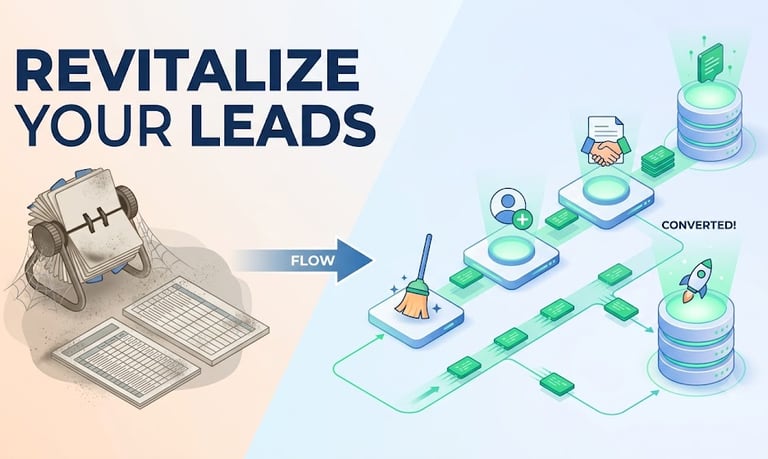
Stop Letting Directory Leads Die in Static Spreadsheets: The Automated CRM Playbook to Convert Prospects on Autopilot
Let’s be honest: scraping a local or global business directory is incredibly satisfying. Within a few clicks, you have a shiny new CSV file packed with hundreds of local businesses, email addresses, and phone numbers.
But then, reality sets in.
That CSV file gets uploaded to a Google Sheet. It sits there. Maybe a sales rep reaches out to a dozen people manually, gets a bounce or two, and gets discouraged. Eventually, that spreadsheet is buried under a mountain of newer downloads. It’s where good leads go to die.
If you want to turn raw directory data into predictable revenue, you have to stop treating directory lists like lotteries. You need a system that cleans, enriches, and acts on those leads automatically.
Here is your step-by-step CRM playbook to turn static lists into active sales pipelines—on autopilot.
Step 1: The Pre-CRM Filter (Never Import Raw Data)
The absolute quickest way to ruin your domain reputation and clutter your CRM is to upload an unverified, unformatted directory list directly into your database. Directories are notoriously outdated.
Before a single contact touches your CRM, it must pass through a three-step cleaning sequence:
Email Verification: Run your CSV through a verification tool (like DeBounce, NeverBounce, or Instantly’s built-in verifier). If an email is flagged as "risky" or "invalid," delete it.
Data Formatting: Clean up the directory’s messy capitalization. If your automated email says, “Hi DUBAI RETAIL GROUP LLC,” your prospect will instantly hit "Spam." Format company names to "friendly names" (e.g., “Dubai Retail Group”) and ensure first names are capitalized correctly.
Deduplication: Run a check against your CRM’s existing database using the company domain as the unique identifier. You don’t want to pitch an existing client or someone your team is already actively calling.
Step 2: Enrich Your Raw Leads to Personalize at Scale
Raw directory leads are notoriously thin. They usually give you a generic phone number, an info@ email, and a basic job title. If you send a generic pitch to an info address, you are shouting into the void.
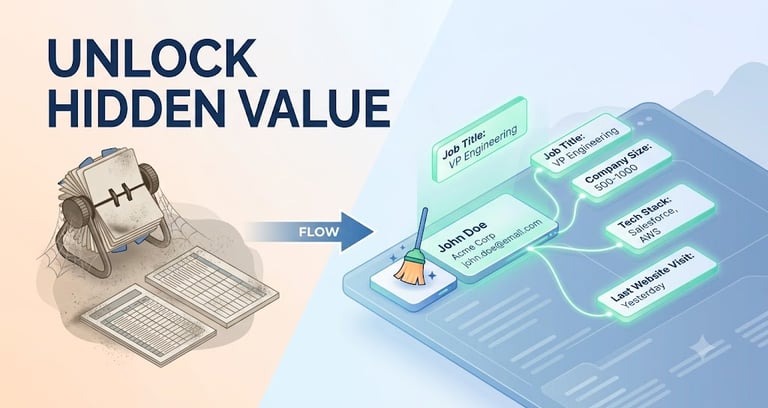
Modern CRMs and data orchestration tools (like Clay or native CRM integrations) allow you to auto-enrich these thin leads the moment they are created.
[Raw Directory Lead] ──> [Enrichment Engine] ──> [Enriched Profile] "info@company.com" Finds decision maker Direct: "sarah@company.com" Scrapes LinkedIn LinkedIn: "linkedin.com/in/sarah" Checks Tech Stack * Tech: Using HubSpot, Shopify
Once a new directory lead is added, set up your CRM to trigger background API calls to search for:
The Actual Decision Maker: Find the specific LinkedIn profile and direct business email of the Head of Sales, Marketing Director, or Owner depending on your target.
Firmographics: Pull the company's actual headcount, recent hiring trends, and funding status.
Technographics: Determine what software they currently use. (If you sell SEO services, knowing they use WordPress vs. Custom Code is gold).
Step 3: Map the "Automated" Lead Flow Workflow
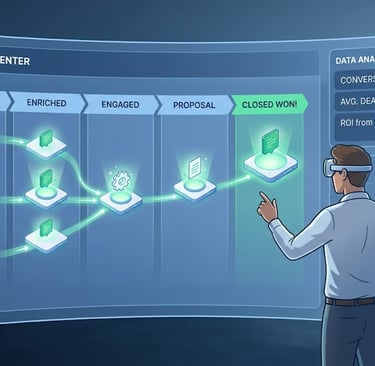
Once your data is clean and enriched, your CRM should route the lead seamlessly through your pipeline. Here is how a high-converting, automated CRM workflow looks in action:
1.Lead Ingestion & Tagging:Immediate.
Import the clean contacts. The CRM automatically tags them with the specific source (e.g., Source: Dubai Business Directory - July 2026) so you can track your ROI later.
2.Automated Lead Scoring:Within 1 minute.
The CRM evaluates the enriched data. If the prospect matches your Ideal Customer Profile (ICP) (e.g., Headcount is greater than 20, uses Shopify), they are scored as "High Priority."
3.Smart Routing:Within 2 minutes.
The CRM assigns the lead to a sales representative based on round-robin rules or territory. If it's a high-priority enterprise lead, it bypasses the queue straight to a senior Account Executive.
4.Outreach Trigger:Within 5 minutes.
The CRM pushes the contact directly into your outbound email sequencer (like Instantly.ai or HubSpot Sequences). The first personalized touchpoint is fired off without a human ever pressing "Send."
Step 4: Write Multi-Channel Sequences (Not Just One Email)
Because directory leads are cold, they require a multi-channel approach. A single cold email won’t cut it. Your automated CRM workflow should orchestrate a sequence that looks like this:

© 2026. All rights reserved.
Contacts:
info@karobardirectory.com